






Mica Washers: Installation Guide for Heatsinks
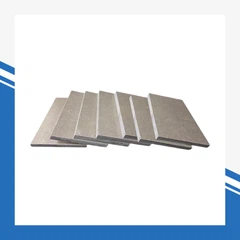
Using mica washers when installing heatsinks prevents electrical short circuits and safely routes heat away from sensitive components.Made from silicate minerals, mica washers remain stable at high temperatures and are chemically inert. They offer high mechanical strength and excellent vibration resistance, reliably protecting electronic equipment.
Key Summary
Mica washers are essential for safe heatsink installation - they prevent short circuits and improve thermal conductivity.
Always clean surfaces before installation for better adhesion and thermal paste performance.
Apply only a thin layer of thermal paste to fill gaps without reducing heat transfer efficiency.

Mica Washers: Tools & Materials
Required Items
To install a heatsink with mica washers, prepare these items:
Mica washers
Heatsink
Mounting hardware (screws, nuts, metal washers)
Plastic insulating washers
Thermal paste
Cleaning supplies (isopropyl alcohol, lint-free cloth)
Electric screwdriver with torque control
Importance of Each Component
Mica washers: Provide electrical insulation and efficient heat transfer. Muscovite mica has a thermal conductivity of approximately 4.05 W/(m·K), making it more effective than many other insulators.
Heatsink: Dissipates heat from electronic components.
Mounting hardware: Secures all parts firmly in place.
Plastic insulating washers: Prevent metal-to-metal contact and electrical shorts.
Thermal paste: Fills micro gaps to improve thermal conduction.
Cleaning supplies: Remove dust and grease to maximize thermal paste performance.
Torque-controlled screwdriver: Avoids over‑tightening and damage to washers or components.
Mica washers are cost‑effective and long‑lasting, with a lower environmental footprint than many alternatives. Industries such as aerospace and automotive rely on mica for its stability in high‑temperature environments.

Mica Washer Installation Steps
1. Surface Preparation
Proper surface cleaning ensures optimal performance:
Remove transistors or components attached to the housing or heatsink.
Discard any old mica insulators.
Clean heatsink and component surfaces with a degreaser to remove oil and dirt.
Wipe surfaces with 91% isopropyl alcohol to remove leftover thermal paste and residues.
Clean surfaces ensure effective thermal paste performance and proper insulation.
2. Apply Thermal Paste to Mica Washers
Apply a small amount of thermal paste to both sides of the mica washer.
Use only a thin layer - excess paste reduces thermal efficiency.
Proper application results in a slight squeeze-out at the edges once assembled.
Thermal paste eliminates air gaps (air is a poor conductor of heat) to improve heat flow.
3. Position and Align Components
Place the mica washer between the electronic component and the heatsink.
Align holes in the washer with mounting holes on the component and heatsink.
Proper alignment ensures reliable insulation and efficient heat transfer.
Recommended practices:
Lapping: Smooth surfaces to eliminate air pockets.
Deburring: Remove sharp edges to avoid damaging the mica washer.
Even clamping pressure: Ensures full contact for better heat transfer.
4. Secure with Mounting Hardware
Insert mounting screws through the aligned holes.
Install plastic insulating washers where screws contact components or the heatsink to prevent shorts.
Tighten screws using a torque‑controlled screwdriver.
Do not over‑tighten - this can crack the mica washer or damage components.
5. Final Inspection
Before powering on the device:
Ensure the mica washer is free of cracks or creases.
Verify proper alignment of the component, washer, and heatsink.
Confirm plastic insulating washers are in place and no unintended metal-to-metal contact exists.
Check for a thin, uniform bead of thermal paste around the edges (correct amount).
Gently shake the assembly to confirm no parts are loose.
Tips & Troubleshooting
Best Installation Practices
Clean the mounting area thoroughly to remove dust and grease.
Cut mica washers precisely to avoid uneven insulation.
Use high‑strength adhesive if needed to hold washers in place.
Avoid stacking multiple washers to reduce mechanical stress.
Monitor environmental humidity and temperature changes that may affect washer condition.
Use the thinnest possible layer of thermal paste.
Ensure smooth surfaces to prevent piercing the washer.
Common Installation Mistakes
Misaligned washers
Excessive thermal paste
Cracked or damaged washers
Over‑tightened screws
Missing plastic insulating washers
Dirty mounting surfaces
Troubleshooting
If sparking or short circuits occur:
Check washer placement and condition.
Ensure no unintended metal contact.
Use a thin layer of thermal paste to lower thermal resistance.
Use smooth contact surfaces to prevent damage.
Silicone pads can be used as an alternative to reduce application sensitivity.
Frequently Asked Questions
How do I know if my mica washer is installed correctly?
Check for even alignment, no unintended metal contact, and a thin uniform layer of thermal paste around the edges.
Can mica washers be reused?
No. Used washers may crack or lose insulation performance. Always install new washers for each assembly.
What happens if I skip plastic insulating washers?
You risk electric shock and short circuits. Plastic insulating washers prevent dangerous metal-to-metal contact - always use them.